The Markdown editor thatshows what you mean
Live preview as you type. Edit, read, and organize Markdown notes in one workspace.
Windows 10+ · free to use
Why WeMark
A small, fast Markdown editor that makes writing feel effortless.
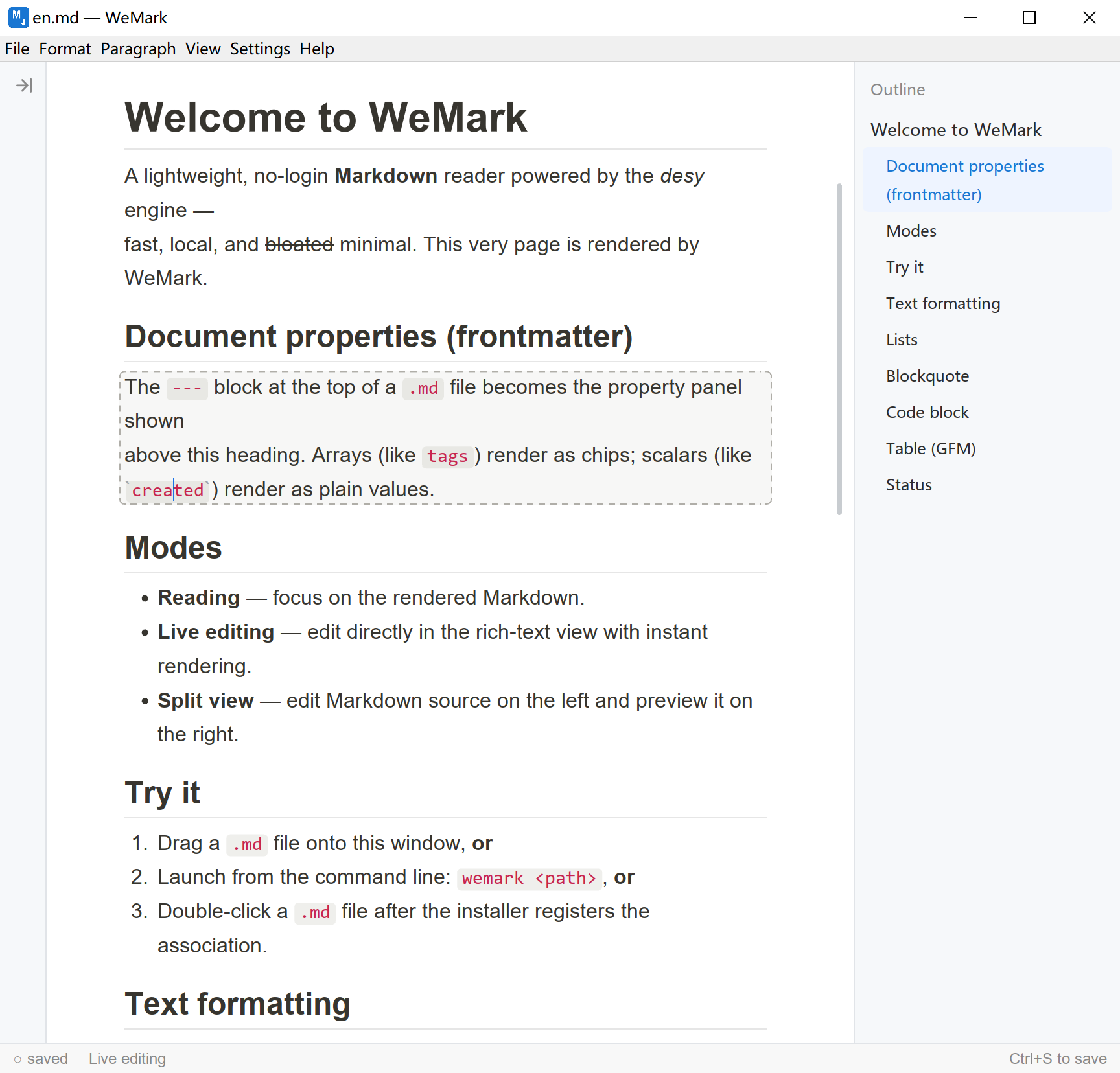
Live preview
Render as you type: the line under your cursor shows source, every other line shows the formatted result — so you stay in flow.
Standard Markdown
Your documents are plain, standard .md files — GFM-compatible, readable in other editors, never locked into a proprietary format.
Small & fast
A small download, a quick start, and smooth editing and reading.
Editable tables
GFM tables and task lists. Add and remove rows and columns, sort and align — right in the rendered document, without going back to the source.
Opens large files
Use “File › Open large file…” to open large documents quickly and scroll smoothly. Large files open read-only in Reading mode.
Themes & languages
Light / dark follows your system, and the UI ships in 20 languages, matching your OS automatically.
Built for the way you write
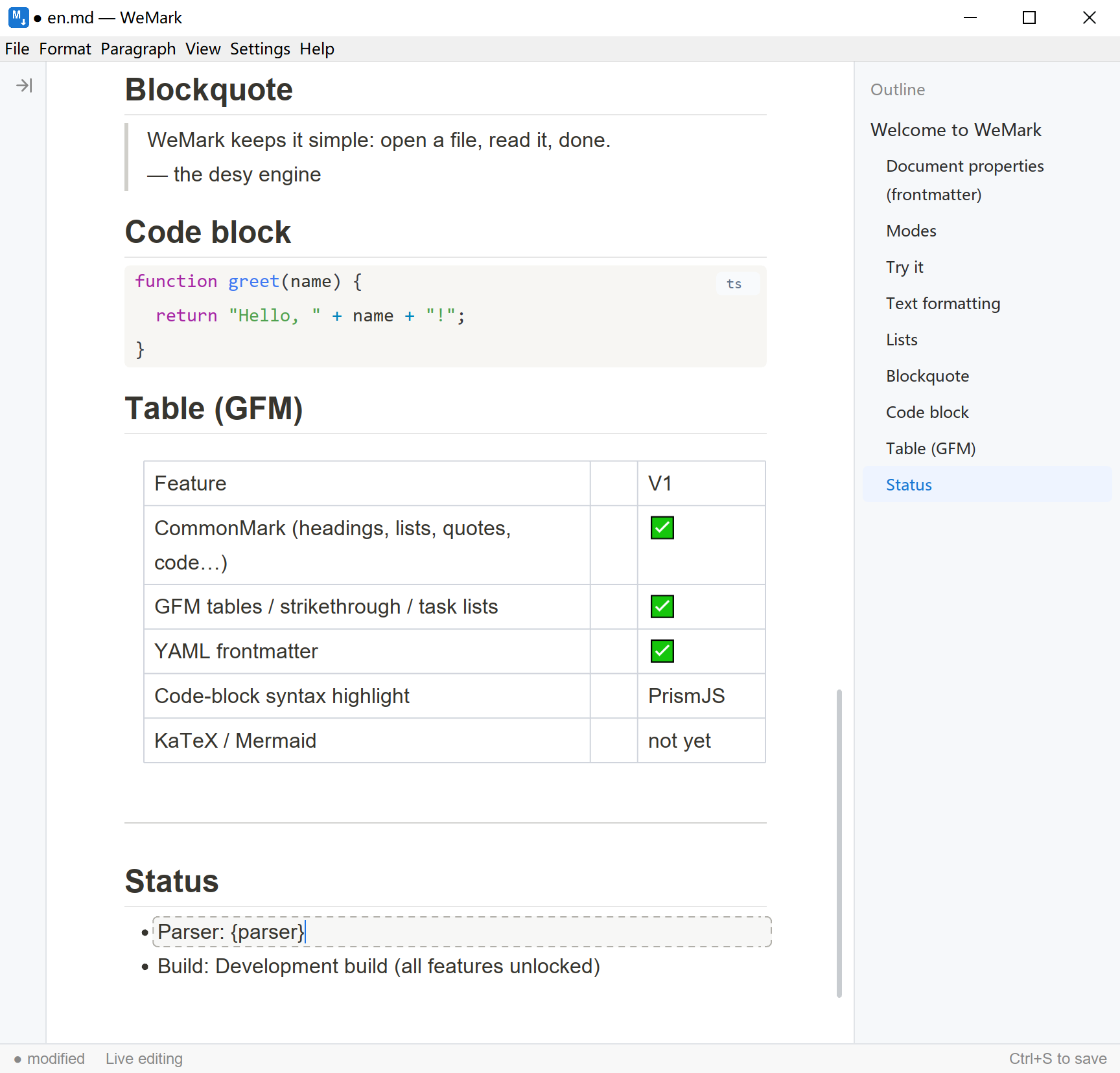
Tables you edit in place
Grab the handle above a column to select it — no going back to the Markdown source, no counting pipes to line things up.
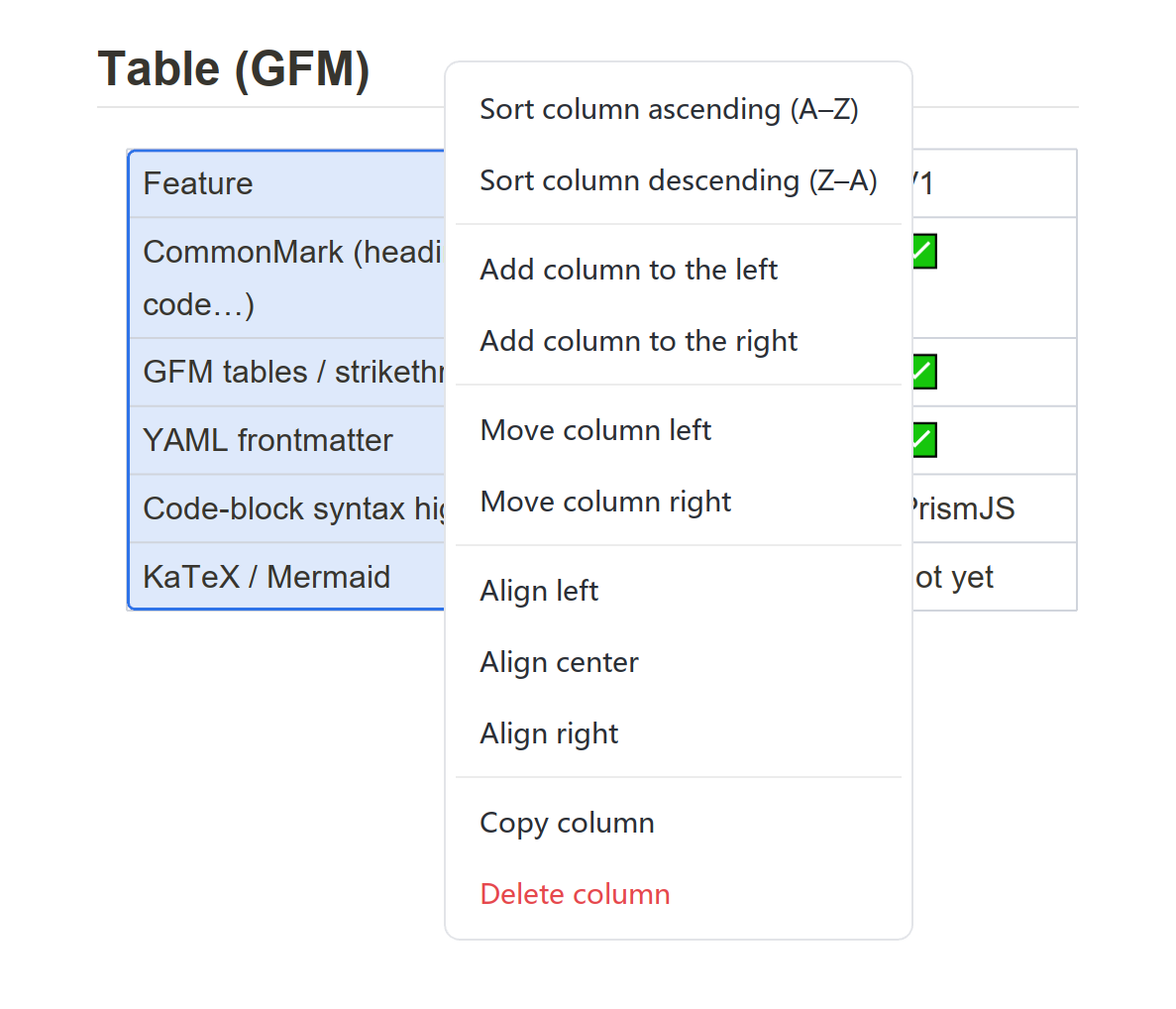
Add, remove, sort, align
The table menu inserts and moves columns, sorts rows by a column, sets alignment, or deletes outright — all on the rendered table.

Download WeMark
Free to use. Install WeMark and start writing, with updates managed by the app.
Download freeWindows 10 or later (64-bit)