The Markdown editor thatshows what you mean
Live preview as you type. Only a few MB, instant to launch — and it opens large files, too.
Windows 10+ · a few MB · free to use
Why WeMark
A Markdown editor that is pleasant to write in and tiny & native at the same time.
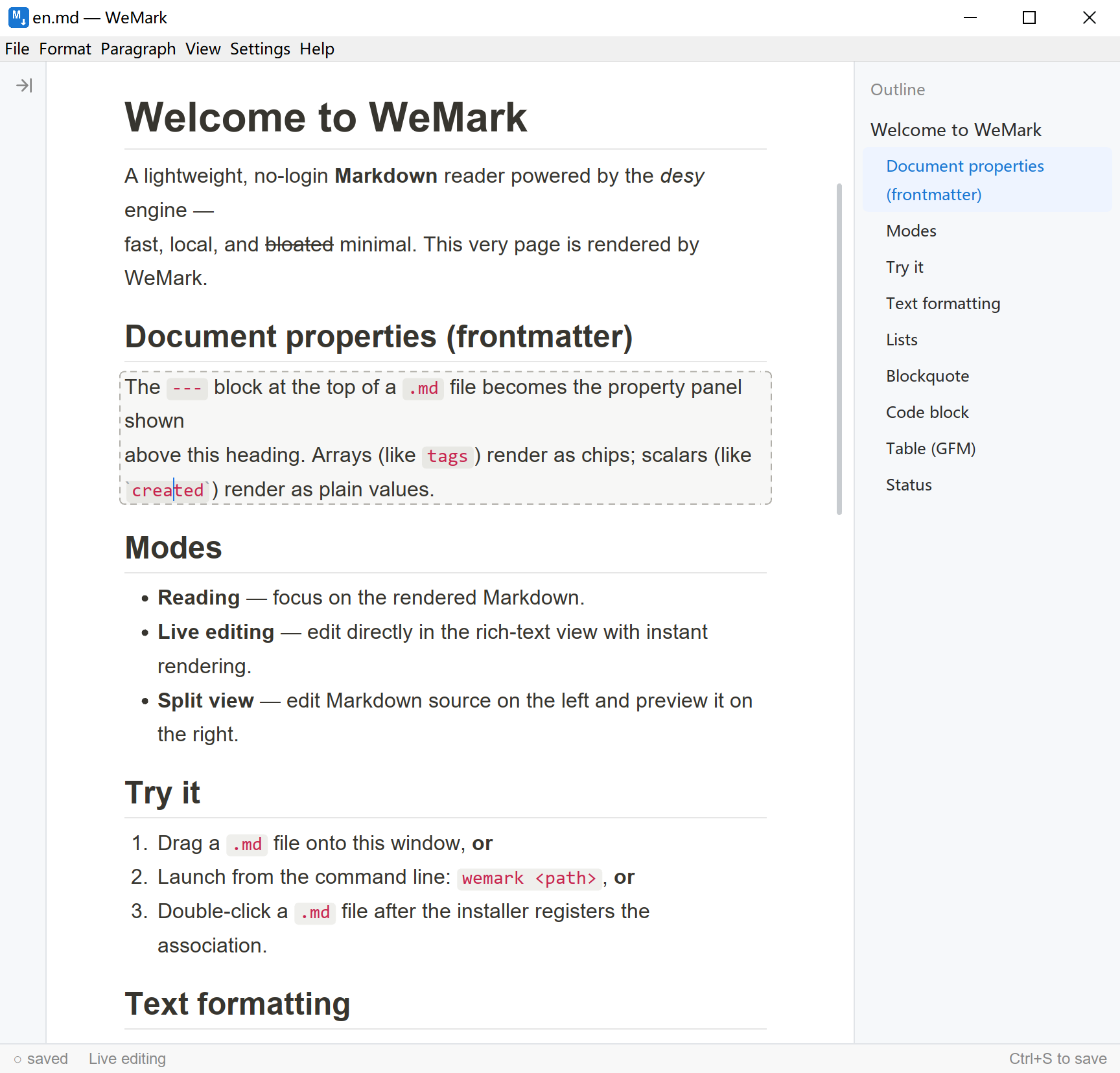
Live preview
Render as you type: the line under your cursor shows source, every other line shows the formatted result — so you stay in flow.
Standard Markdown
Your documents are plain, standard .md files — GFM-compatible, portable anywhere, never locked into a proprietary format.
Tiny & native
Built on our own engine with native rendering. The installer is only a few MB and cold-starts in milliseconds.
Editable tables
GFM tables and task lists. Add and remove rows and columns, sort and align — right in the rendered document, without going back to the source.
Opens large files
“File › Open large file…” hands the document to a background thread to read and parse, so even a large file opens quickly and scrolls smoothly. That path opens read-only, in “Reading” mode.
Themes & languages
Light / dark follows your system, and the UI ships in 20 languages, matching your OS automatically.
Built for the way you write
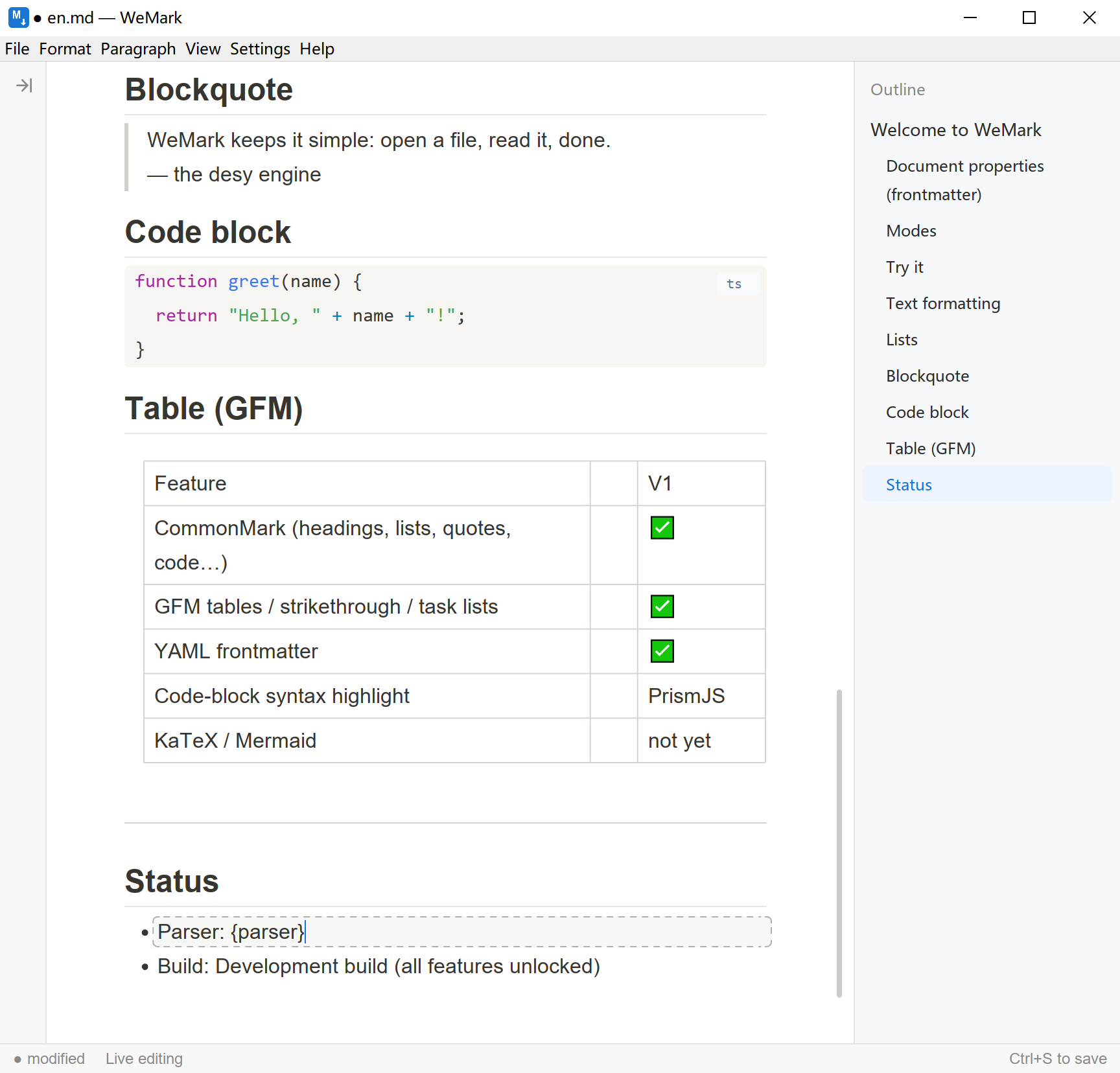
Tables you edit in place
Grab the handle above a column to select it — no going back to the Markdown source, no counting pipes to line things up.
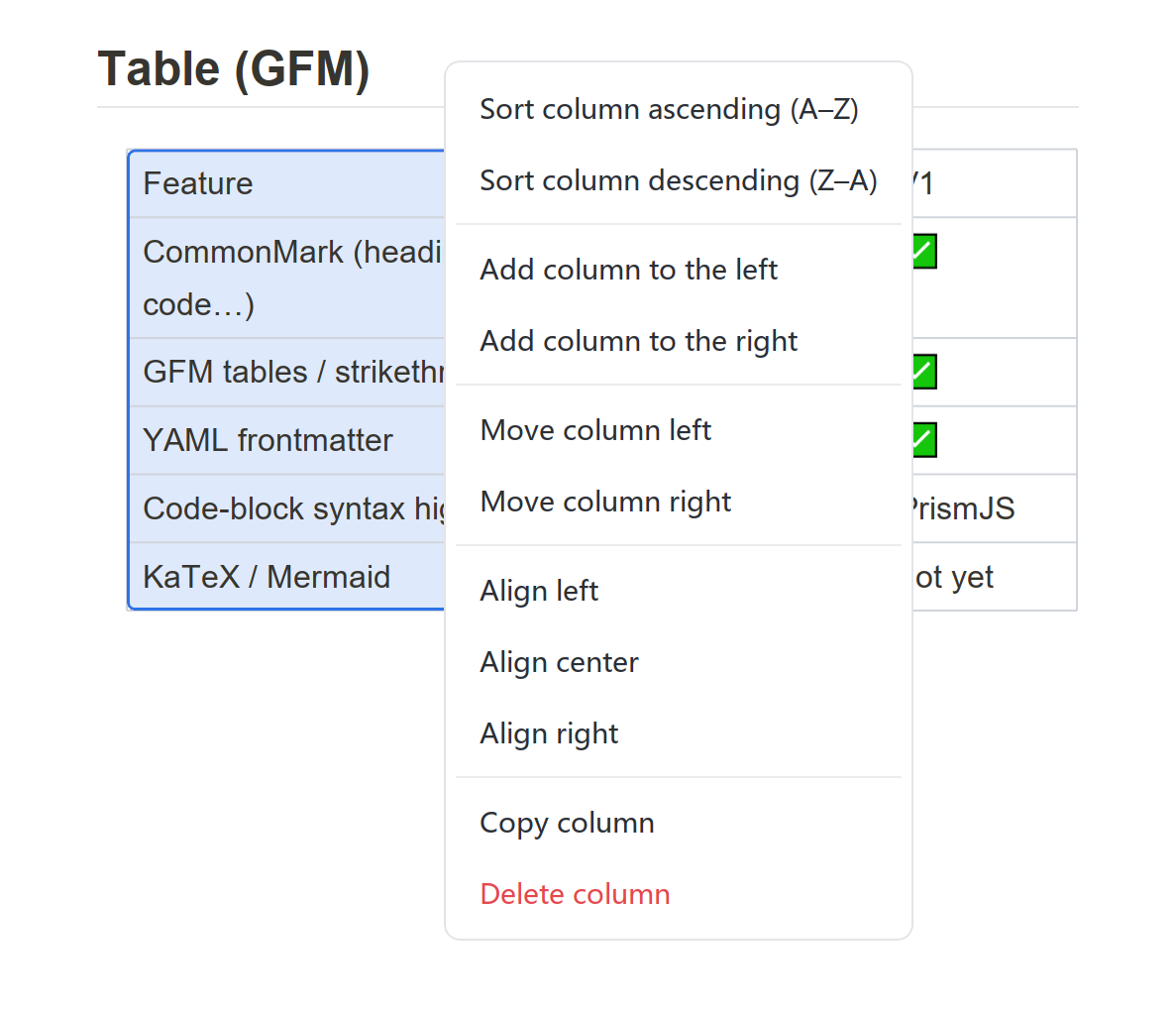
Add, remove, sort, align
The table menu inserts and moves columns, sorts rows by a column, sets alignment, or deletes outright — all on the rendered table.

Download WeMark
Free, portable, single-file. Pick the installer for auto-updates, or the portable build to just unzip and run.
Download freeWindows 10 or later (64-bit)